6 best free image compression tools (2026)
6 best free image compression tools (2026)
Written by

Alexander Winter

Key insights
In this post:
Section
Image weight is the number one cause of slow pages. Slow pages hurt Core Web Vitals, search rankings, and conversion rates, and the fix rarely requires Photoshop. A handful of free tools, many running entirely in your browser or on your machine, can cut file sizes dramatically while keeping images visually sharp. Here are the six best options in 2026, ordered by how most people will actually reach for them.
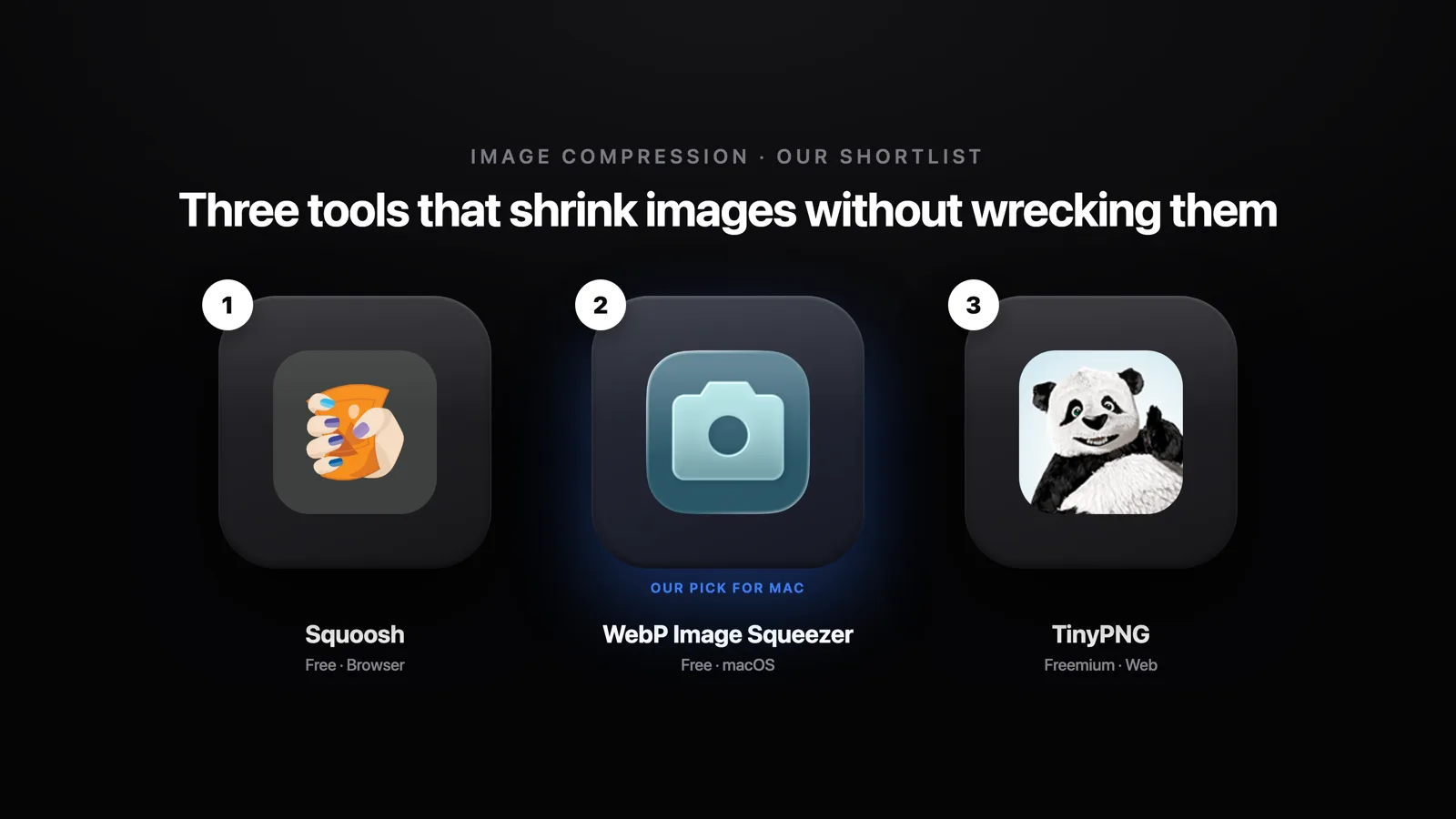
A key distinction worth making before you pick a tool: some compressors upload your files to a remote server, while others process everything locally in your browser or as a native app. If your images contain sensitive content (product shots before launch, client work, personal photos), local processing matters.
Tool | Platform | Price | Batch? | WebP / AVIF? | Processes locally? |
|---|---|---|---|---|---|
Squoosh | Browser | Free | No | Yes / Yes | Yes (in-browser) |
WebP Image Squeezer | macOS | Free to start | Yes | Yes / No | Yes (on-device) |
TinyPNG | Browser / API | Freemium | Yes (up to 20) | Yes / Yes | No (server upload) |
ImageOptim | macOS | Free | Yes | No | Yes (on-device) |
Command line (Homebrew) | macOS / Linux | Free | Yes (unlimited) | Yes / Yes | Yes (on-device) |
Preview / Photoshop | macOS / Any | Free / Paid | No | Partial | Yes (on-device) |
1. Squoosh
The cleanest single-image compressor available. Built by Google Chrome Labs and open-source, Squoosh runs entirely in your browser, so nothing is uploaded to a server. Drag in a file, adjust settings in real time, and compare the result against the original with a side-by-side slider.
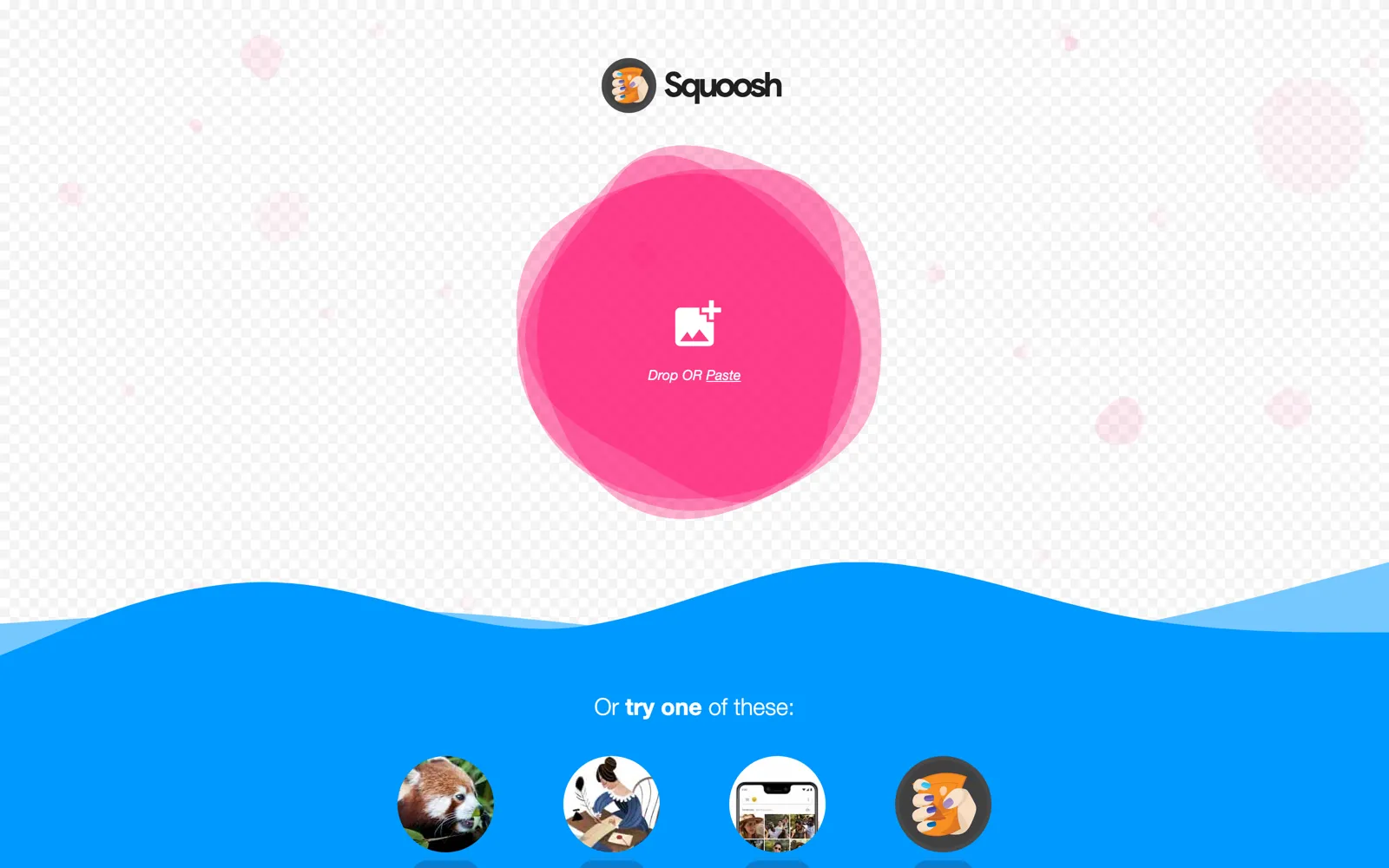
What it is: Open-source, browser-based image compressor
Platform: Any browser (web app)
Price: Free, always
Best for: Quick one-off compression with full visual control over codec settings
Output formats: WebP, AVIF, MozJPEG, OxiPNG, PNG
Honest limitation: One image at a time, no batch processing, no automation
Squoosh is particularly strong for AVIF conversion, where fine codec control makes a visible difference. If you need to compress a hero image or a single product shot before a launch, this is the fastest path that doesn't require installing anything.
2. WebP Image Squeezer
The best native Mac option for anyone compressing images regularly. WebP Image Squeezer is a macOS app we build at HIVER, available on the Mac App Store, and it handles the full compression workflow. Drag a folder in, set your quality level, set a max-edge resize if needed, and export. Everything runs on your machine, so your images never leave your Mac.
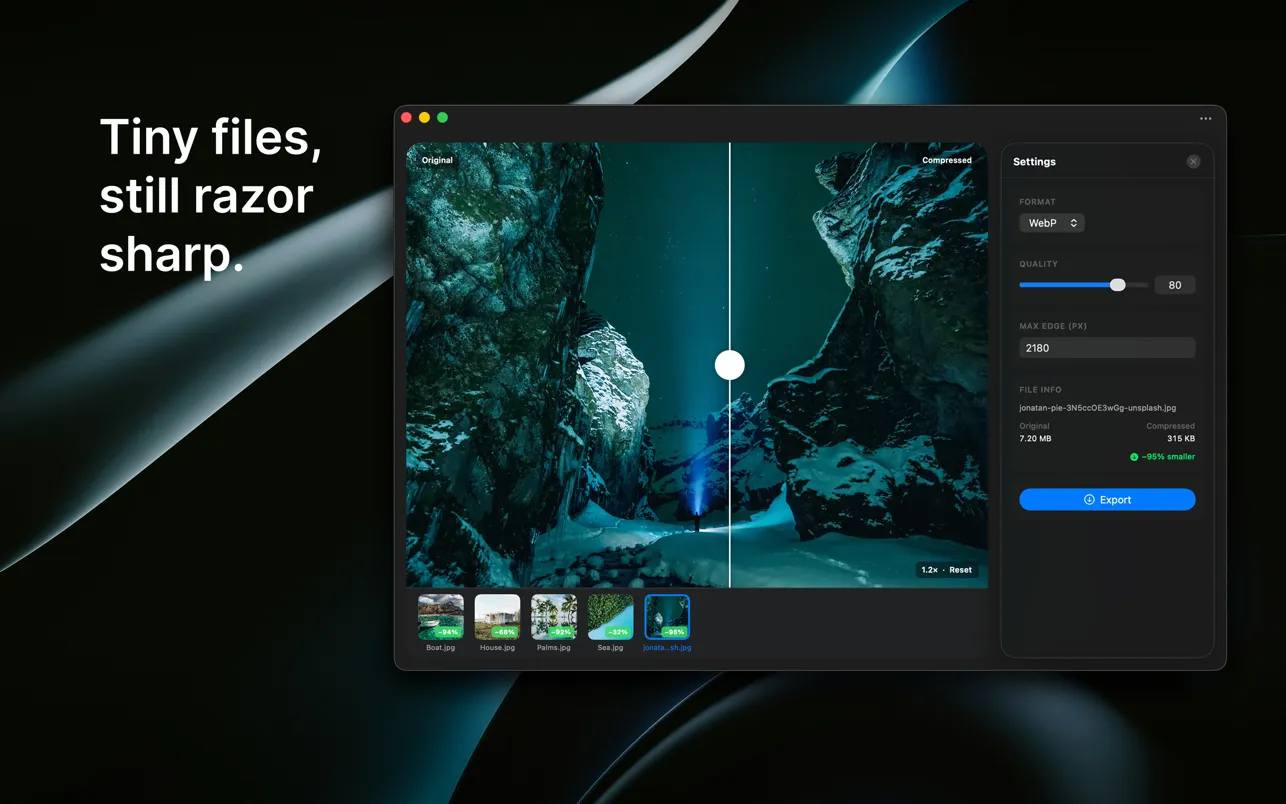
What it is: Native macOS batch image compressor and WebP converter
Platform: macOS only
Price: Free to start (Mac App Store)
Best for: Mac users who compress images regularly or need to convert whole folders to WebP
Standout features: Live before/after slider, quality slider, max-edge resize, drag-and-drop folders, one-click export
Honest limitation: macOS only, no Windows or Linux version
If you also work with video, our sibling app Video Squeezer applies the same on-device philosophy to video compression, worth keeping in the same workflow. For teams thinking about how image performance connects to broader site results, our guide on what actually makes websites convert puts image optimization in useful context.
On-device processing isn't just a privacy feature, it also means compression speed isn't capped by your upload bandwidth, which matters when you're working through hundreds of product images.
3. TinyPNG
The go-to web-based compressor for quick results without any setup. TinyPNG (by Tinify) uses smart lossy compression to reduce PNG, JPEG, WebP, and AVIF files. Drag images onto the page, download results in seconds. The interface is minimal by design.
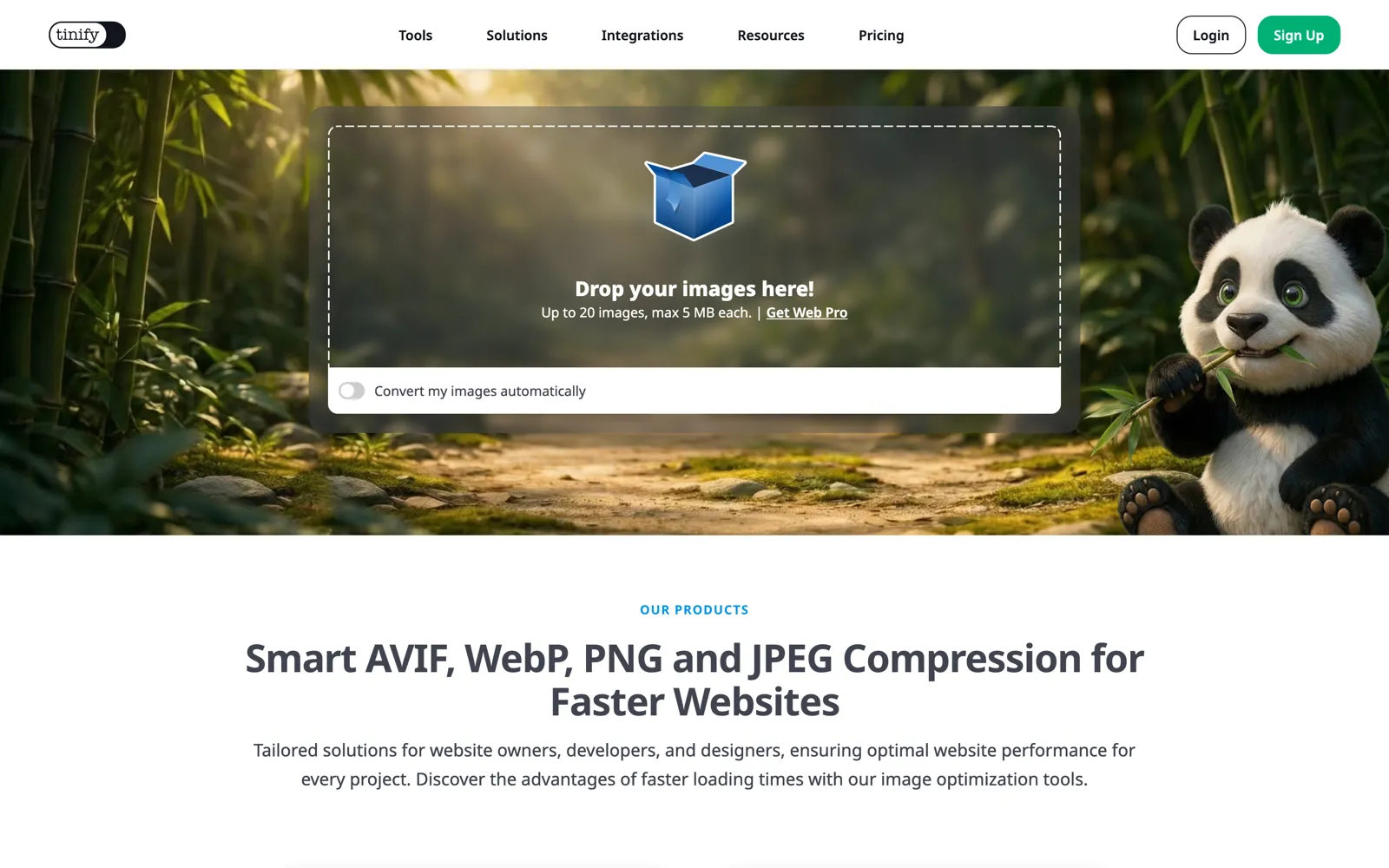
What it is: Freemium browser-based image compressor
Platform: Web (browser), with a developer API and a WordPress plugin
Price: Free for up to 20 images per session, max 5 MB per image; paid plans for heavier use
Best for: Fast web compression and developers who want to automate via the API
Honest limitation: Files are uploaded to Tinify's servers; the free tier caps quickly for larger workflows
The TinyPNG API is where this tool earns its place in developer stacks. You can integrate it directly into a build pipeline or CMS to compress images on upload, which is hard to match with browser-only tools. For light, occasional use the free tier is more than enough.
4. ImageOptim
The best free option for cleaning up PNG and JPEG files on a Mac. ImageOptim is open-source and free, and it works by bundling proven compression tools (MozJPEG, pngquant, Zopfli) under a simple drag-and-drop interface. It also strips EXIF metadata automatically, which matters if you're publishing photos that contain location data or device information.
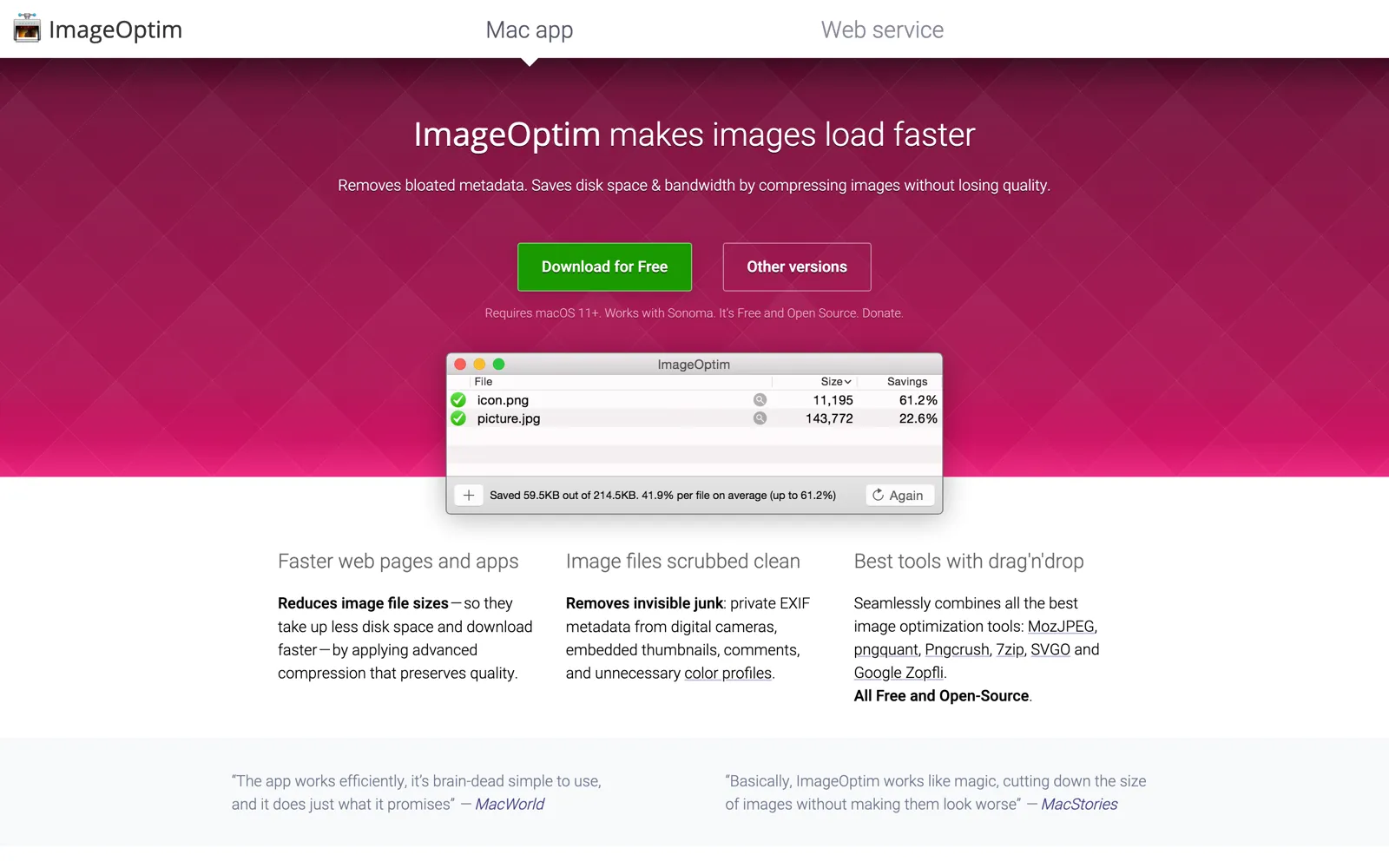
What it is: Free, open-source macOS image optimizer
Platform: macOS only
Price: Free
Best for: Mac users optimizing PNG and JPEG files and stripping private metadata before publishing
Honest limitation: Does not export WebP or AVIF, output is always the same format as input
If your workflow still involves a lot of JPEG and PNG and you're not yet ready to move to modern formats, ImageOptim is the most painless way to shave file size on a Mac without changing anything else.
5. The command line (via Homebrew)
For developers and power users who need to compress at scale, the command line is the only truly unlimited free option. Using Homebrew on macOS (or a package manager on Linux), you can install dedicated encoders and run them against entire directories in a script.
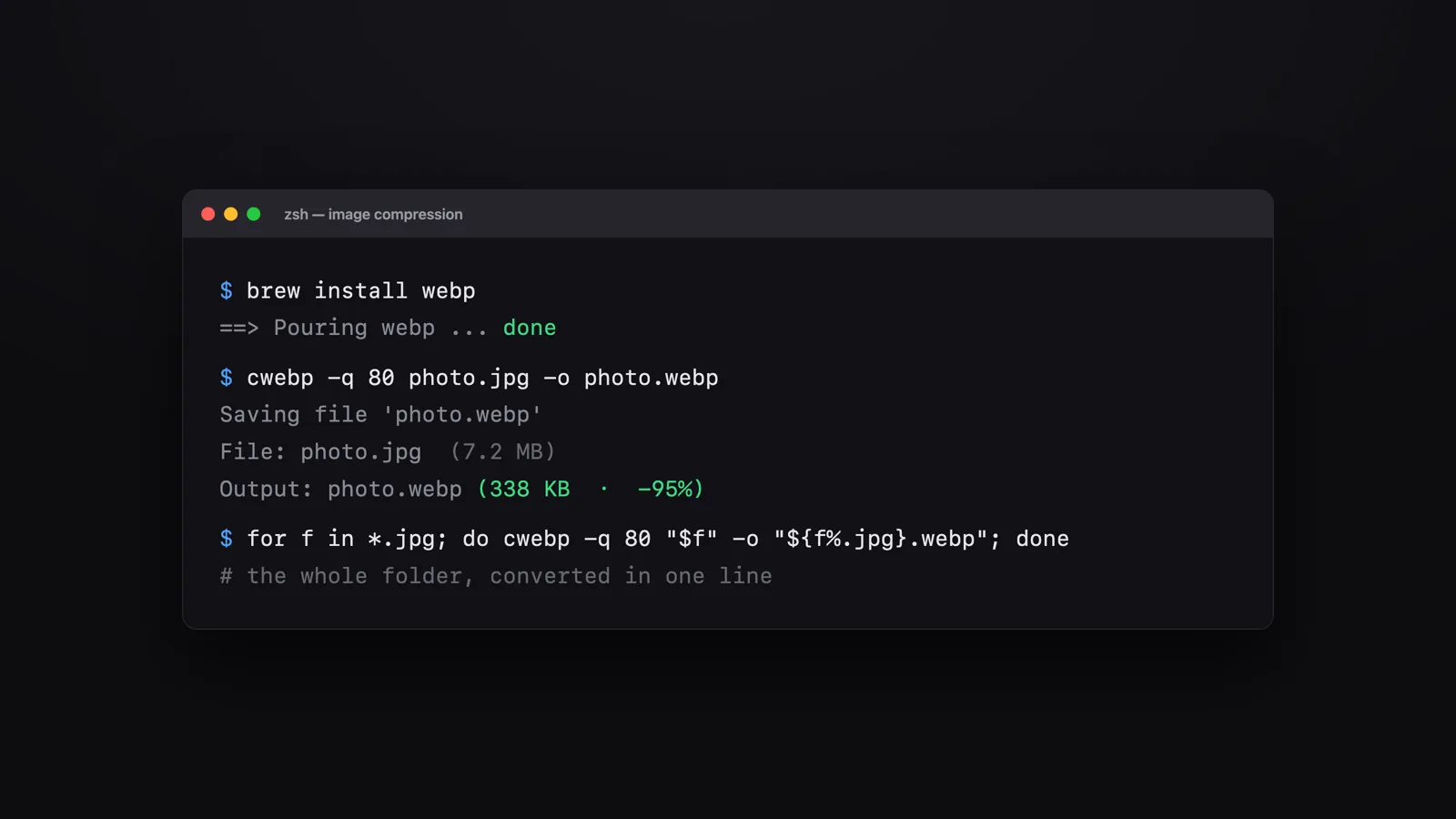
What it is: CLI-based compression using open-source encoders
Platform: macOS and Linux (via Homebrew or native package managers)
Price: Free
Key tools:
cwebp(WebP),avifenc(AVIF),pngquant(PNG),oxipng(lossless PNG)Best for: Automating compression in a build pipeline, a deploy script, or across hundreds or thousands of files
Honest limitation: No graphical interface, requires comfort with the terminal and scripting
The practical workflow here is: resize source images to display dimensions first, then convert to WebP or AVIF, then compress. Running all three steps in a shell script means every image that enters your project is already optimized before it reaches production. No manual step, no forgotten oversized file.
6. Preview and Photoshop (what you may already own)
Both tools are worth a mention because millions of people already have them open. They're not purpose-built for web compression, but they cover occasional needs without installing anything new.
Preview (macOS, free): Use Tools > Adjust Size to resize dimensions, then File > Export with a quality slider for JPEG, PNG, or HEIC output. Fast for a single image.
Photoshop (paid, Creative Cloud): Export As or Save for Web gives precise control over output quality, supports WebP, and shows file size previews before you commit. The professional standard for a reason.
Best for: People who already have these open and need an occasional resize or quality adjustment
Honest limitation: Neither is designed for fast batch web compression; the workflow gets tedious at scale
Preview in particular is underused as a compression tool, it's right there on every Mac. For a single image before a blog post goes live, it's often faster than opening a browser tab.
How to choose the right tool
The decision comes down to frequency, platform, and how much control you want. Here's the short version:
Squoosh if you need to compress one image right now, in any browser, with full format control.
WebP Image Squeezer if you're on a Mac and compress images regularly, batch processing and on-device privacy make it the strongest daily-use option for Mac users.
TinyPNG for quick web compression with no setup, or if you need an API to automate compression inside a CMS or build process.
The command line if you're a developer who wants full automation, no limits, and compression baked into your pipeline from day one.
Start with the simplest tool that fits your current volume. When you find yourself doing the same compression task more than a few times a week, that's the signal to move up to a tool built for repetition.
Almost nobody rebrands on time. Companies rebrand after the deals are already lost, after the third candidate turned down the offer, after two years of explaining in every sales call what the website was supposed to explain.
The reason is that the real signals do not look like brand problems. They look like sales problems, hiring problems, and pricing problems. By the time the logo starts to look dated, the actual damage is years old.
You will: Decide whether your brand needs a rebrand, a refresh, or nothing at all, based on evidence rather than fatigue. Prerequisites: Recent sales feedback, your pricing history for the last two years, and an honest conversation with whoever handles hiring. Time: Half a day to run the checklist properly.
1. Sales explains the company differently in every call
Sit in on three sales calls in a row and count how many versions of the company you hear. If each person builds the story from scratch, there is no story. There is a set of talking points that every rep is quietly rewriting because the official version does not survive contact with a real prospect.
This is the earliest signal and the most ignored one, because it looks like a sales enablement issue. It is not. Sales teams improvise when the positioning underneath is too vague to repeat.
2. You lose deals to products you know are worse
Losing to a better product is a roadmap problem. Losing to a worse one, repeatedly, against buyers who had all the information, is a brand problem. The buyer understood both options and picked the one that felt safer.
Ask the last five prospects who chose someone else what they thought you did. If the answer is meaningfully different from what you actually do, you did not lose on merit.
3. Your strategy changed and nobody told the brand
New business model, new product line, a market you entered two years ago, a merger, a spin-off. The company moved and the brand stayed where it was. Now the identity describes a company that no longer exists, and everyone internally has learned to mentally translate.
This one is easy to verify. Read your own homepage as if you were a stranger, then compare it with this year’s board deck. If they describe two different businesses, you have your answer.
4. You cannot raise prices
Pricing power is the most honest brand metric there is. If every increase turns into a negotiation, and if procurement treats you as interchangeable with three other vendors, the market has priced you as a commodity regardless of what you actually deliver.
Key principle: A brand that cannot support a price increase is not doing its job. Everything else in this list is a symptom. This one is the bill.
5. Good candidates lose interest after looking at the website
Track where hiring conversations die. If strong candidates go quiet between the first conversation and the second, something they saw in between changed their mind, and the website is usually the only thing they looked at.
People join companies they can explain to their friends. If the site makes the company look smaller, older, or vaguer than it is, the offer competes at a disadvantage before anyone discusses salary. HIVER worked on exactly this problem with recruiting content in this customer story.
6. Your best customers describe you wrong
Call five clients who love working with you and ask them to describe what you do to a colleague. Write down the words they use. If their description is narrower than your business, you are being remembered for one thing while selling four.
This is a good problem disguised as a compliment. It caps growth quietly, because referrals only ever arrive for the one thing people remember.
7. Every department has built its own version of the brand
Marketing has one deck template, sales has three, and the product team has quietly designed its own. Nobody did anything wrong. They filled a gap, because the official system did not cover the cases they had.
Fragmentation is a design symptom with a strategic cause. Guidelines get ignored when they were written for a company that no longer matches reality.
8. The name has outgrown its meaning, or shrunk into a corner
Names age in two directions. Some become too small: a name built around one product or one canton becomes a ceiling the moment you expand. Others become too vague to mean anything after years of adding capabilities.
Changing a name is the most expensive decision on this list and the one most often made for the wrong reasons. It is justified when the name actively creates confusion in the market, not when the founding team has simply grown tired of it. Timly went through exactly this evaluation, weighing the risk of losing recognition against the cost of staying misunderstood, which is documented in the Timly rebrand case study.
9. You hesitate before sending the link
There is a specific moment worth paying attention to: a serious prospect asks for the website, and you find yourself adding context before you send it. “It’s a bit outdated.” “We’re working on a new one.”
That hesitation is a measurement. The people who know the company best no longer believe the brand represents it. Every external audience is receiving the version without your verbal footnote.
10. There is a story about you that you did not write
A failed project, an old product, a founder dispute, a period of poor service. Something sticks to the company in the market and shows up in conversations you are not part of.
A rebrand cannot erase this, and treating it as a cover-up is how rebrands earn their bad reputation. What it can do, when it follows an honest audit and a real change in substance, is give the market a legitimate reason to update its picture.
Rebrand or refresh?
Not every signal on this list calls for a full rebrand, and the difference is not a matter of budget. It is a matter of which layer broke.
The last row matters more than it looks. Being tired of your own brand is not a market signal. You see it a hundred times a week and your customers see it twice a year.
Where to start
The order matters more than the effort. Most failed rebrands are not badly designed, they are designed too early.
The same specificity test that separates real ad copy from empty copy applies here. If your new positioning would still work with a competitor’s name on it, the rebrand has not solved anything yet, and the guide on how to tell if your ad copy is good covers how to check that in a few minutes. The way it eventually shows up on the site is covered in what actually makes websites convert.
How many signals is too many?
One signal is worth watching. Two or three in the same quarter usually means a refresh is overdue. Four or more, especially when they include pricing power or the way customers describe you, means the gap is structural and no amount of design will close it.
The companies that rebrand well are rarely the ones with the worst brands. They are the ones that noticed the drift early enough to fix it deliberately, instead of reacting after a lost year. That deliberate version is what the Brand Transformation process at HIVER is built around.
Author
Alexander Winter
Founder & Writer
Alexander is the founder of HIVER, writing about design, branding and building products that people love to use. He is deeply rooted in SaaS, tech marketing and branding, and brings strong expertise in video production and storytelling.